After the recent AI boom, images have seen the biggest advancements and improvements in our digital lives. You can create some spectacular AI images using Midjourney or use Photoshop’s AI Generative Fill to manipulate photos in ways that were never possible before. In addition to that, you can now upscale existing images to 4K or 8K resolution with the magic of AI. You can restore details, make images unblurry, fix pixelated photos, and much more. So without any wait, let’s go through the list of best AI image upscaler tools.
1. Image Scaler by Stability AI
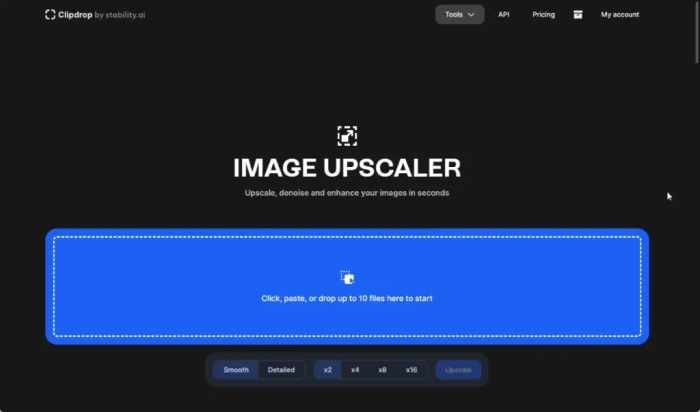
The popular creator behind Midjourney alternative Stable Diffusion, Stability AI, has an AI image upscaler tool too, and it works wonders. I have personally used the AI tool many times in the past, and I can say that it’s easier to use and does a fantastic job at upscaling images without sharpening the image too much.
The best part of Stability AI’s image upscaler is that it’s free to use for 2x image upscaling. If you want upscale images 4x to 16x, you need to subscribe to the paid plan.
ADS
2. Upscayl
Upscayl is a free and open-source program that can supercharge your images and upscale them in no time. It’s available on Windows, macOS, and Linux, and the developer is planning to bring its AI image scaler tool to the cloud too. Currently, the cloud service is in beta. However, you can run it on your computer locally and upscale low-resolution images into high-resolution images. It offers five different modes to choose from and uses your GPU to sharpen blurry images.
3. Remini
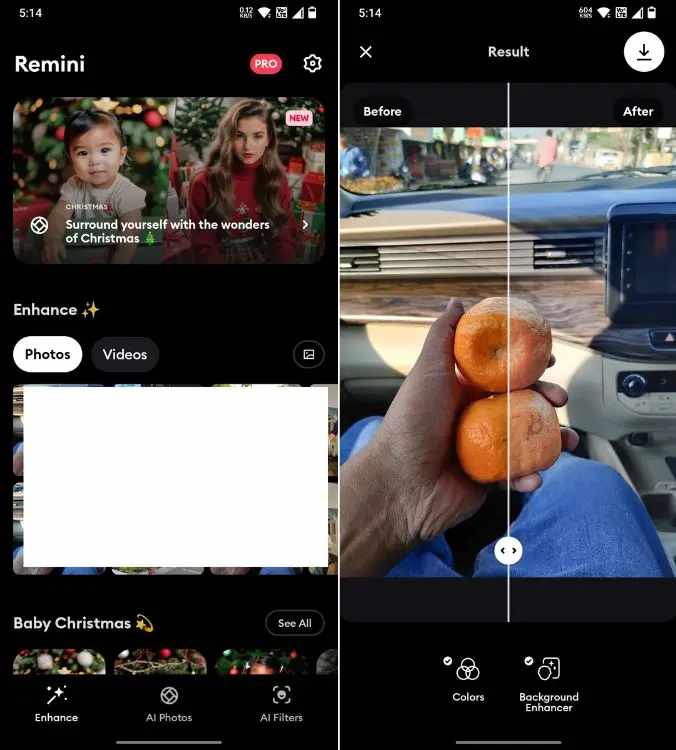
Remini is another fantastic app for Android and iPhone users that can upscale images using AI. Not just that, it can restore old memories, recover all the lost details, fix pixelated and grainy images, and much more. However, it’s not entirely free to use. You need to watch a 30-second ad to upscale an image and another ad to save the restored photo. In addition, your image will be uploaded to the cloud for processing so there is that.
ADS
That said, Remini works much better for human faces and selfies. It also has other features such as the ability to create 90s yearbook photos, professional resume shots, AI image generation, face beautifier, and more.
4. Upscale.media
Upscale.media is another seamless AI image upscaler that you can use on the web. Simply open the website, upload your photo, and download the upscaled image. No need to sign up, add your credit card, or subscribe to any paid plan. It’s that effortless.
The best thing about this AI tool is that you can upscale up to 4x resolution for free. Generally, free websites have limited options up to 2x. Moreover, this upscaler is available as Android and iOS
ADS
5. Gigapixel AI
Gigapixel AI by Topaz Labs is a powerful AI image upscaler that comes at a price. If you are a photographer or a video creator, Gigapixel AI should be your first choice as it can also upscale your videos. It’s used by corporations like Netflix, Warner Bros, Disney, Apple, and more.
Gigapixel AI uses deep learning to restore video footages and enhances the detail in a customized way, which other services don’t provide.
6. Let’s Enhance
Let’s Enhance is another free AI upscaler that I liked for its simplicity and ease of use. All you need to do is sign up for an account, and you can start upscaling images using AI. It also supports batch upscaling, which is good to have in a free service.
Along with that, you will get support for image lighting, tone enhancement, color enhancement, and background removal — all powered by AI. In my testing, its upscaled images were on par with other service providers.
ADS
These are some well-known AI image upscalers that you can try on your computer or smartphone. Most of these services are free and some offer upscaling up to 4x and even 16x without any charge.